ChatGPT Ads Advertising in Ukraine
Advertising in ChatGPT in Ukraine: What Tools Are Available to Advertisers in 2026
In just a few months, advertising in ChatGPT has evolved from a single text ad below an answer into a set of tools: product campaigns, visual formats, automatic creative adaptation and integrations for measuring results.
Advertising in ChatGPT is now available in Ukraine. On October 21, 2026, OpenAI announced the expansion of ChatGPT Ads to 26 new countries, including Ukraine. The platform’s total geographic coverage has grown to 89 countries. Businesses can launch campaigns independently through Ads Manager or work through the billing partner Billing Media.
According to OpenAI, Chat GPT is used by 1.2 billion people every week.
In this article, Billing Media specialists explain in detail where ads are shown, which creatives to prepare, how to set up geography, choose a budget and check results.
Billing Media accepts payment for Chat GPT Ads in hryvnia or an agreed currency and tops up the ad account in USD.
Data current as of October 23, 2026. ChatGPT Ads is in beta, so certain settings depend on the country, campaign type, and account access.
What Is Advertising in ChatGPT (ChatGPT Ads) and Where Is It Displayed
Chat GPT (OPEN AI) Ads is paid placement of brand offers in ChatGPT. A person may be discussing a product choice, comparing options or clarifying requirements, and the ad system matches ads to that context. The advertiser sets the offer, landing page, campaign parameters and budget.
Ads carry an advertising label and are separated from the assistant’s answer. Paying for advertising does not make it possible to buy a brand mention inside an independent ChatGPT answer or to influence its content.
For marketers, this is a channel for engaging with demand during the decision-making process. For example, a furniture store can offer an ergonomic chair to someone who has back problems or is looking for a chair to work at a computer.
► Plans. Ads are shown to users on the Free and Go plans. There are no ads on the Plus, Pro, Business, Enterprise and Edu plans.
► Age. Ads are not shown to accounts belonging to users under 18 years of age.
► Context. Ads are not shown next to conversations on sensitive topics.
► Placement selection. Unlike Meta Ads or Google Ads, OpenAI’s official documentation does not provide for the selection of individual placements. Instead, the system itself determines which conversations to show ads in, taking into account the context and campaign settings.
► New format. A visual ad unit is being tested during image generation, so far only in the US.
What ChatGPT Ads Look Like and Which Platforms They Appear On
Five delivery platforms are currently available. The mobile app and the browser on the same phone belong to different platforms, which makes it possible to compare their performance separately.
| Platform | Where the user sees the ad |
|---|---|
| ChatGPT для iOS | In the ChatGPT app on iPhone and iPad |
| ChatGPT for Android | In the ChatGPT app on Android |
| Desktop web | In ChatGPT in a browser on a computer |
| iOS web | In ChatGPT in a browser on iPhone or iPad |
| Android web | In ChatGPT in a browser on Android |
Other OpenAI products. Verified ad specifications do not confirm separate purchasable placements in Codex, API, GPT Store, Sora or the native ChatGPT apps for Windows and macOS. They should not be included in a media plan without separate confirmation. The fact that a third-party service uses a GPT model also does not make it part of the ChatGPT Ads ad inventory.
Managing advertising through the Ads Manager plugin, Shopify or HubSpot, is a way to create and analyze campaigns. ChatGPT remains the place where these ads are shown.
For a local launch, create a standard campaign and find the city in the locations section. Check the name, country and type of the location found; save the selection and review the final settings. With a technical integration, the team can perform the same search through the official geo lookup API.
Use the location ID returned by the system. If the city you need is not there, do not name the campaign “targeting Kyiv”. Mentioning Kyiv in the text or a context hint describes your service but does not set a geographic restriction. For a business with nationwide delivery, a national campaign can be considered; for a purely local service, first check whether broader reach is acceptable.
Some new self-service accounts may initially advertise only in their own country. International delivery opens after verification is approved and the required actual spend in the home country. A created budget does not ensure this on its own.
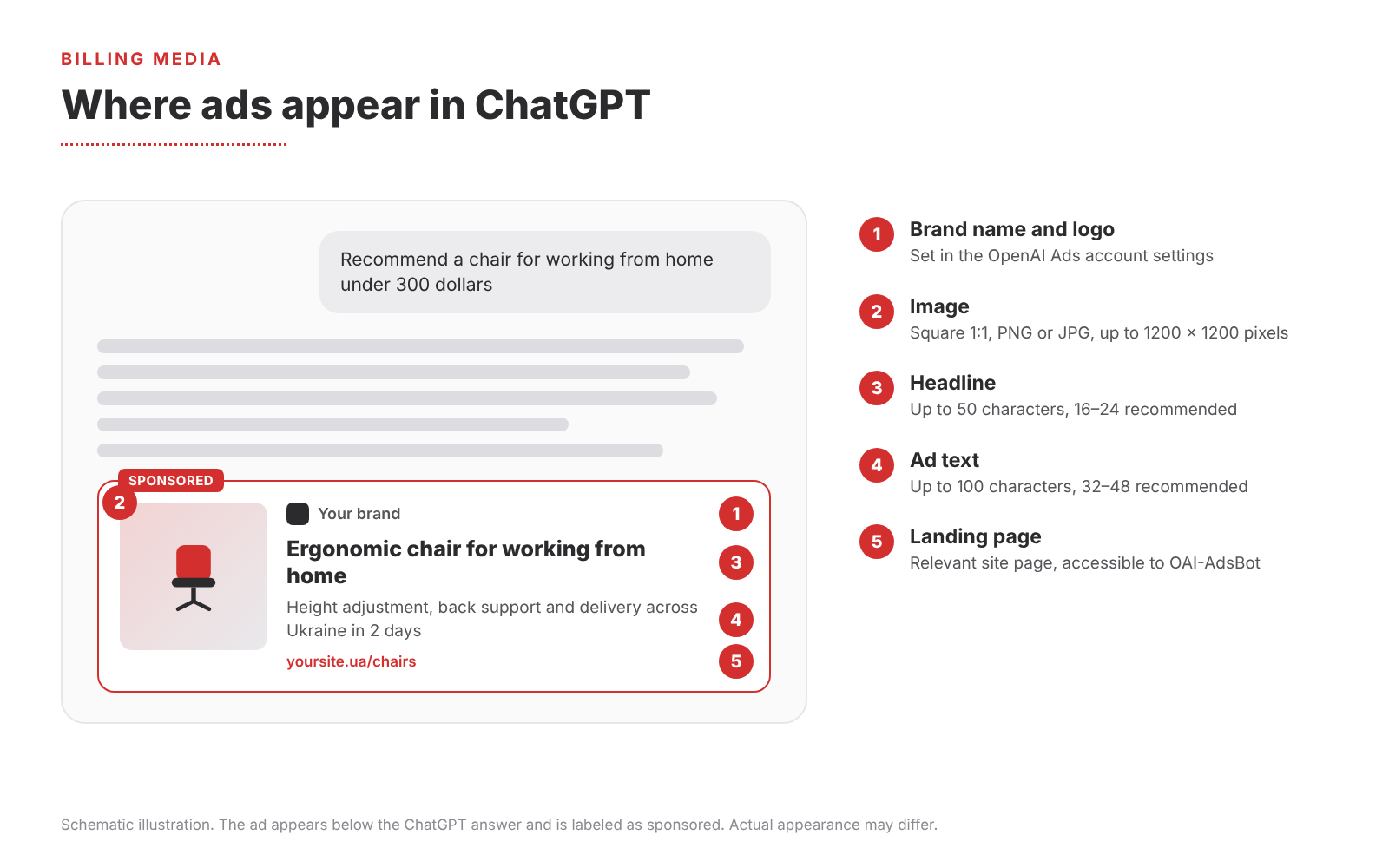
Diagram of the ad unit below a ChatGPT answer. Billing Media illustration; the actual appearance may differ.
ChatGPT Ads Advertising Formats
| Format or tool | Status | Who it suits |
|---|---|---|
| Standard ad | Available | Any business with a clear offering. |
| Product feed campaigns | Available | Online stores and brands with a catalog |
| Visual ads during image generation | Testing in the US | Home goods, lifestyle, travel |
| Context hints and negative phrases | Available | All advertisers; negative phrases for those who meet the criteria |
| Automatic creative adaptation | Enabled by default from 31.10.2026 | Everyone, with a check against brand requirements |
| Pixel, Conversions API and partner attribution | Available | Those who evaluate the channel by sales |
| Video ads How Much Advertising Costs and How to Choose a Budget For a USD account, the minimum daily campaign budget is 25 US dollars per day. This is the amount to take into account when planning a test through Billing Media. For another account currency, its own minimum applies. A campaign total budget limits spend for the entire period; switching from a total budget to a daily budget is irreversible. | Not available | No official video formats yet |
How Much Does Advertising in ChatGPT Cost and How to Choose a Budget
For a USD account, the minimum daily campaign budget is 25 US dollars per day. This is the amount to take into account when planning a test through Billing Media. For another account currency, its own minimum applies. A campaign total budget limits spend for the entire period; switching from a total budget to a daily budget is irreversible.
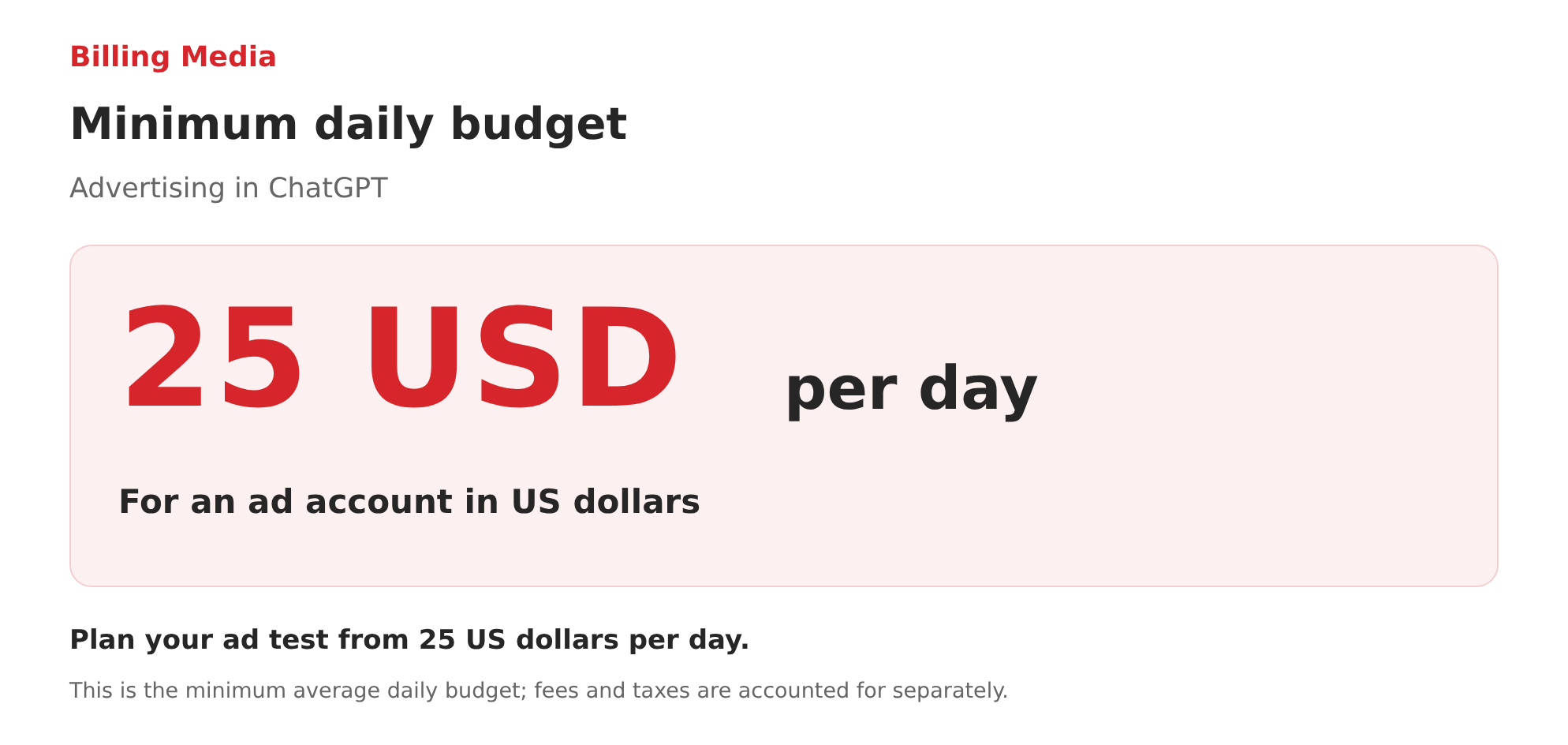
The minimum daily budget is 25 USD per day for a dollar ad account. The daily budget is an average; actual spend on a given day may differ.
| Campaign objective | What the advertiser pays for |
|---|---|
| Views — impressions | Impressions; the CPM model means the cost of 1,000 impressions. |
| Clicks — visits | Clicks; the CPC model means the cost of a click. |
| Conversions — conversions | Optimization for a selected standard event. For eligible accounts, billing per click or per impression is possible; this is not payment for results only. |
For the first test, we recommend choosing one measurable business goal and a limited set of offers. Evaluate not only CTR but also the quality of inquiries, revenue, or another agreed result. Determine the test volume based on margins and the required number of target actions, rather than on the promise of “cheap new traffic.”
The advertising API describes a manual maximum bid and automated strategies for maximizing clicks or conversions. Choose a strategy according to the available objective and the quality of measurement; the actual list in the ad account may depend on the account.
A daily budget means an average amount. With an unchanged budget, spend on a single day can reach double the amount, and over a budget week from Sunday to Saturday, seven times the amount. Time is determined by the account time zone; after a budget change, limits are recalculated.
For example, a Ukrainian store tests advertising with a budget of 25 USD per day. With unchanged settings, spend can reach 50 USD on a single day and 175 USD over a full budget week from Sunday to Saturday. This is a sample calculation, excluding the Billing Media fee, bank charges and taxes.
For the first test, we recommend choosing one measurable business goal and a limited set of offers. Evaluate not only CTR but also the quality of inquiries, revenue, or another agreed-upon outcome. Determine the test scale based on margins and the required number of target actions, rather than on the promise of “cheap new traffic.”
1. Standard Ad
The basic format is shown below a ChatGPT answer and is clearly labeled as advertising. According to the OpenAI Help Center, an ad contains the advertiser name, site icon, headline, description, image and a link to the landing page.
The format is suitable for presenting a specific offer of a product, service, category, special offer or useful content. When an ad is created, the OpenAI Ads account suggests drafts based on your website metadata, the image, headline and description are pulled in automatically and can then be edited.
Technical Requirements for an Ad
There are no classic banners of different sizes in Chat GPT Ads advertising yet, an ad consists of text and one square image.
Requirements from OpenAI’s official Help Center
| Element | Requirement | Recommendation |
|---|---|---|
| Headline | Up to 50 characters | 16–24 characters |
| Ad text | Up to 100 characters | 32–48 characters |
| Image | Square 1:1, PNG or JPG, no larger than 1200 × 1200 pixels, publicly accessible | Simple visual without excessive detail |
| Brand name and logo | Set in the OpenAI Ads account settings | A logo that is recognizable at small size |
| Link | Valid, reachable and not blocked for OpenAI crawlers | Relevant page with UTM parameters. |
| Video | Not supported | Use a static image |
The minimum image size is not specified in the Help Center, so we recommend preparing images at 1200 × 1200 pixels so they look sharp on different screens. One OpenAI Ads account can contain up to 5,000 campaigns, 5,000 ad groups and 5,000 ads.
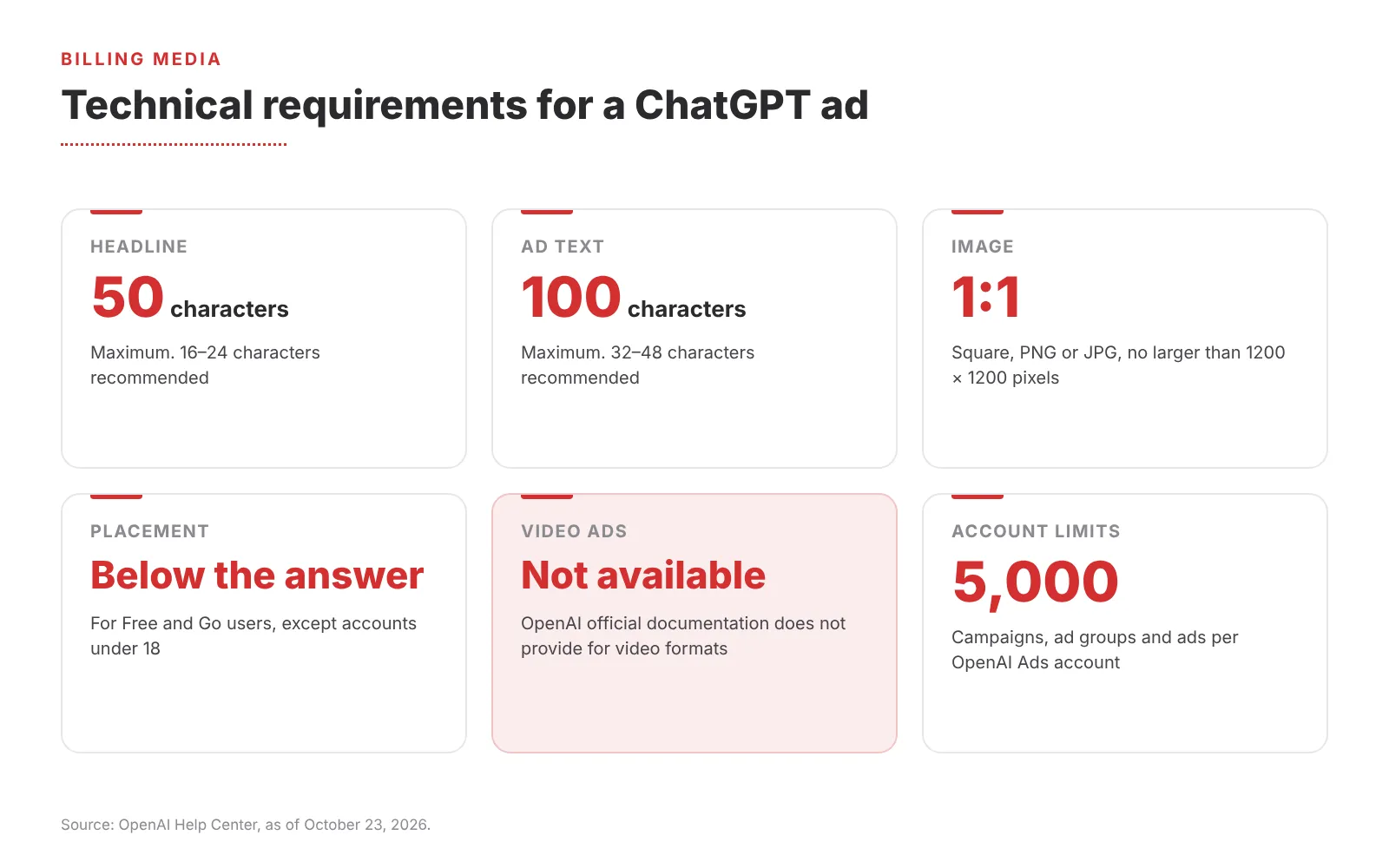
Technical requirements for an ad in ChatGPT as of October 23, 2026.
What Matters for the Creative
► A headline with a specific benefit instead of generic advertising phrases.
► A description that complements the headline rather than restating it in other words.
► A simple, relevant image that reinforces the message.
► Several meaningfully different variations: OpenAI recommends that each variation offer a different argument.
► A landing page with the same offer, not the site’s home page.
Technical detail. Landing pages must be accessible and must not block the OAI AdsBot and OAI SearchBot crawlers. Check the robots.txt file and the site protection settings before launching the campaign.
2. Product Feed Campaigns
For advertisers with a catalog, campaigns based on a product feed are available. Instead of creating each ad manually, product data and images come from the catalog. This is especially relevant for e-commerce, where the assortment is large and prices and availability change regularly.
Filters at the ad group level and custom feed metadata make it possible to advertise only part of the catalog, for example a separate category or high-margin products.
There are also limitations – new product campaigns support geographic targeting only at the country level, while regular campaigns can be set down to regions, cities and postal codes where available.
3. Visual Ads During Image Generation
On October 5, 2026, OpenAI announced a new visual format, during image generation in ChatGPT several ad images are shown that help explore a product, see examples of use or imagine how it will fit into the user’s life.
The ad unit is clearly labeled and remains separate from the image that ChatGPT creates at the user’s request. Testing begins at the end of October 2026 in the US with an initial group of advertisers for users on the Free and Go plans. So for now, this is a format worth watching rather than a tool available to Ukrainian advertisers.
The format has the greatest potential for brands whose sales benefit from visual demonstration: home goods, fashion, travel, experiences and digital products.
Are There Video Ads in ChatGPT?
No. As of October 23, 2026, there are no video formats in ChatGPT advertising: OpenAI’s official documentation describes only ads with text and an image, product campaigns and the visual format during image generation, which is being tested. According to Search Engine Journal, OpenAI job postings mention the development of new formats, including video, but the company has not announced launch dates. If your advertising strategy is built on video, you need to prepare separate static creatives for ChatGPT.
4. Contextual Ad Matching
The delivery system takes several signals into account: the context and intent of the current conversation, the ad headline and text, the landing page content, the advertiser’s context hints, as well as certain signals from the user’s broader experience if ad personalization is enabled.
Context hints are set at the ad group level. These are topics, situations or keywords in the context of which the offer is appropriate. They do not work as an exact keyword match and do not guarantee delivery; they only help the system understand where the offer is relevant.
Practical tip:
“Describe not only the product but also the tasks it solves, the audiences it is intended for and the situations in which it is useful. Advertisers who meet the criteria can additionally use negative phrases (Negative Phrases) to exclude unwanted delivery contexts.”
5. Automatic Creative Adaptation
Creative enhancements automatically adapt ads to the context of the conversation. The feature includes four mechanisms:
► Text. Creating new or updated headlines and descriptions that connect the offer with the conversation.
► Images. Resizing to fit the ad format.
► Links. Replacing the destination URL with a more relevant page of your site.
► Translation. Translating ad text into other languages.
Starting October 31, 2026, the feature is enabled automatically for new and existing campaigns. Previously configured opt-outs at the account and campaign level are preserved, and campaign settings take priority over the account setting. Adapted versions are shown without prior approval and without reviewing each variation.
Our recommendation. If your industry has requirements for wording (finance, medicine, legal services) or your brand guide strictly regulates copy, decide on the feature before October 31. You can turn it off at any time through “Manage settings” in the OpenAI Ads account. If the feature stays enabled, the site must contain accurate and up-to-date information about prices, terms and availability, since this is where the system takes data for new variations.
6. Campaign Objectives and Billing Models
The OpenAI Help Center describes three campaign objectives.
Important: even in conversion campaigns, the advertiser pays for clicks or impressions, not for the conversion itself.
| Objective | What it optimizes for | How it is billed |
|---|---|---|
| Views | Visibility and reach | Per thousand impressions (CPM) |
| Clicks | Visits to the site | Per valid click (CPC) |
| Conversions | The selected conversion event | Per click (oCPC) or per thousand impressions (oCPM) |
How Budgets Work
► A campaign total budget sets a hard spend limit for the entire period.
► Daily budget works as a weekly average: on a single day, a campaign can spend up to twice the daily budget, but no more than seven times the daily budget per week. Weeks run from Sunday to Saturday in the account’s time zone.
► The minimum daily budget depends on the account currency. For accounts in US dollars, it is 25 dollars; for accounts in euros or pounds, it is 15 EUR or 15 GBP.
► Switching from a total budget to a daily budget is irreversible, so the model should be chosen at the start.
7. Measuring Results
A pixel and the Conversions API are available for campaign measurement, transmitting purchases, leads, registrations, and other target actions. The advertiser receives aggregated statistics without access to users’ conversations. For additional analysis, UTM parameters can be added to links in ads, and traffic can be viewed in familiar analytics systems.
In October 2026, OpenAI expanded its measurement partnerships: integrations for passing conversions (Hightouch, Tealium, LiveRamp), web and app attribution (AppsFlyer, Adjust, Branch, Singular, Northbeam, Triple Whale and others), as well as the first tools for measuring incremental sales.
OpenAI cites examples from advertisers:
at WeightWatchers, the attributed customer acquisition cost through advertising in ChatGPT turned out to be 15.3% lower than the average for paid search, and at Portland Leather 93% of visitors from ChatGPT ads were new. These are individual cases, so results for your business should be verified with your own test.
What to Track During a Test
► Spend, impressions, clicks, CTR, average cost per click and per impression.
► Conversions and cost per conversion, if measurement is set up.
► Quality of leads or purchases and the share of new customers.
► Results of different headlines, descriptions and creative approaches.
► Customer acquisition cost compared with other channels.
8. Brand Safety and Advertising Restrictions
Ads are shown only next to conversations that the system considers safe and appropriate. Conversations on sensitive topics, as well as accounts of users under 18, remain ad-free. OpenAI is also developing pilot solutions with DoubleVerify and Integral Ad Science for independent assessment of placement safety without access to private conversations.
Separate rules on advertising categories apply, as well as rules on ad content, images and landing pages. Whether advertising is permitted depends on the category, country and specific offer, so check the rules before preparing creatives.
How to Prepare for Launch
1. Check availability. Make sure your company is registered in a country from the list of available markets and that your category is permitted for advertising.
2. Decide on automatic creative adaptation. Do this before October 31, 2026, if your brand needs full control over copy.
3. Prepare your site or catalog. Information must be up to date, and pages must be accessible to the OAI AdsBot and OAI SearchBot crawlers.
4. Create several different messages. Test different arguments and use cases within 50 characters for the headline and 100 characters for the text, and also prepare square images.
5. Choose an objective and set up tracking. Connect the pixel or Conversions API and UTM parameters before launching the campaign.
Paying for Advertising in ChatGPT Through Billing Media
Billing Media officially tops up OpenAI Ads advertising accounts. You pay the invoice in hryvnias or an agreed currency, and the budget is credited to the account in US dollars. You receive a contract, invoices, and acceptance certificates for accounting purposes, so a corporate foreign currency card is not required.
Campaign setup and management remain the responsibility of your team or advertising contractor. Read more about how payments work, what documents you receive, and how this differs from direct card payment on the ChatGPT Ads top-up through Billing Media page.
We also top up Google Ads, Meta Ads, TikTok Ads і LinkedIn Ads accounts under a single contract.
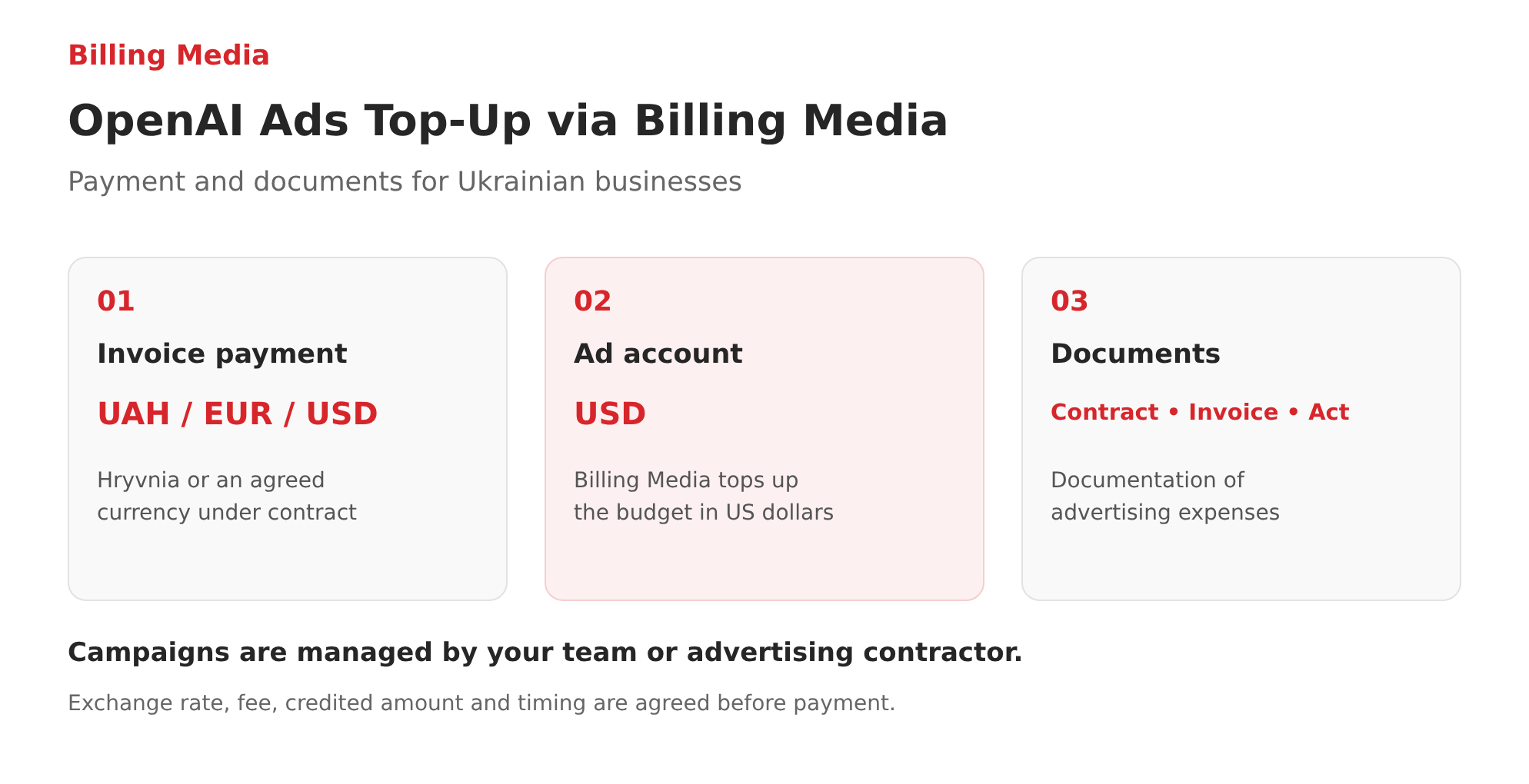
Billing Media settlement model for OpenAI Ads. Terms, exchange rate, fee and timing are agreed before payment.
How to Launch Advertising in ChatGPT: A Step-by-Step Guide in Ads Manager
Billing Media can create and help launch an advertising campaign, but below we have prepared a practical sequence of steps for a standard campaign. Specific field names may change as the beta version develops.
Step 1 Create an ad account
The ChatGPT Ads Manager advertising platform is available at ads.openai.com. It is used to create campaigns, ad groups, and ads, set budgets and geographic targeting, connect a pixel, and view statistics.
Go to ads.openai.com, sign in with a work OpenAI account and fill in the company details. Check the country, currency and time zone before confirming. Match the Legal Name with the actual company details, and the Brand Name with the name shown to users.
Step 2 Complete account setup
Add a logo, complete the requested verification and choose a payment method: directly with OpenAI or under the agreed Billing Media scheme. Give the advertising team the necessary Admin, Member or Viewer roles. Use separate accounts for different advertisers.
Step 3 Choose an objective and budget
Create a campaign with the appropriate objective: impressions, visits or conversions.
For conversions, first set up measurement and select a supported standard event. Determine the amount, period and acceptable financial outcome of the test. For a dollar account, set a daily budget of at least 25 USD per day.
Step 4 Set up geography and platforms
For national reach, select Ukraine. For a local standard campaign, find the city you need among the available locations and check the selection result. Separately select the apps or web platforms you need. Make sure the account is allowed to show ads in the selected country.
Step 5 Create ad groups and context hints
Group ads by product or need. For a furniture store, separate groups for compact desks and work desks make sense; for an education business, separate groups for different programs. Use different landing pages when offers differ.
Step 6 Upload creatives and links
Prepare several different headlines and descriptions, add a square image and a relevant page. Example tagging for a Ukrainian campaign:
utm_source=chatgpt&utm_medium=cpc&utm_campaign=ua_office_chairs_test Align the names with your analytics. Separately check Creative enhancements and the site’s accessibility for ad crawlers.
Step 7 Check the preview and submit for review
Verify the text, photo, geography, budget and how well the page matches the offer. The ad system reviews ads before they are shown. If you need a future launch, set the schedule first: in your first campaign, do not click publish just to gain access to editing dates.
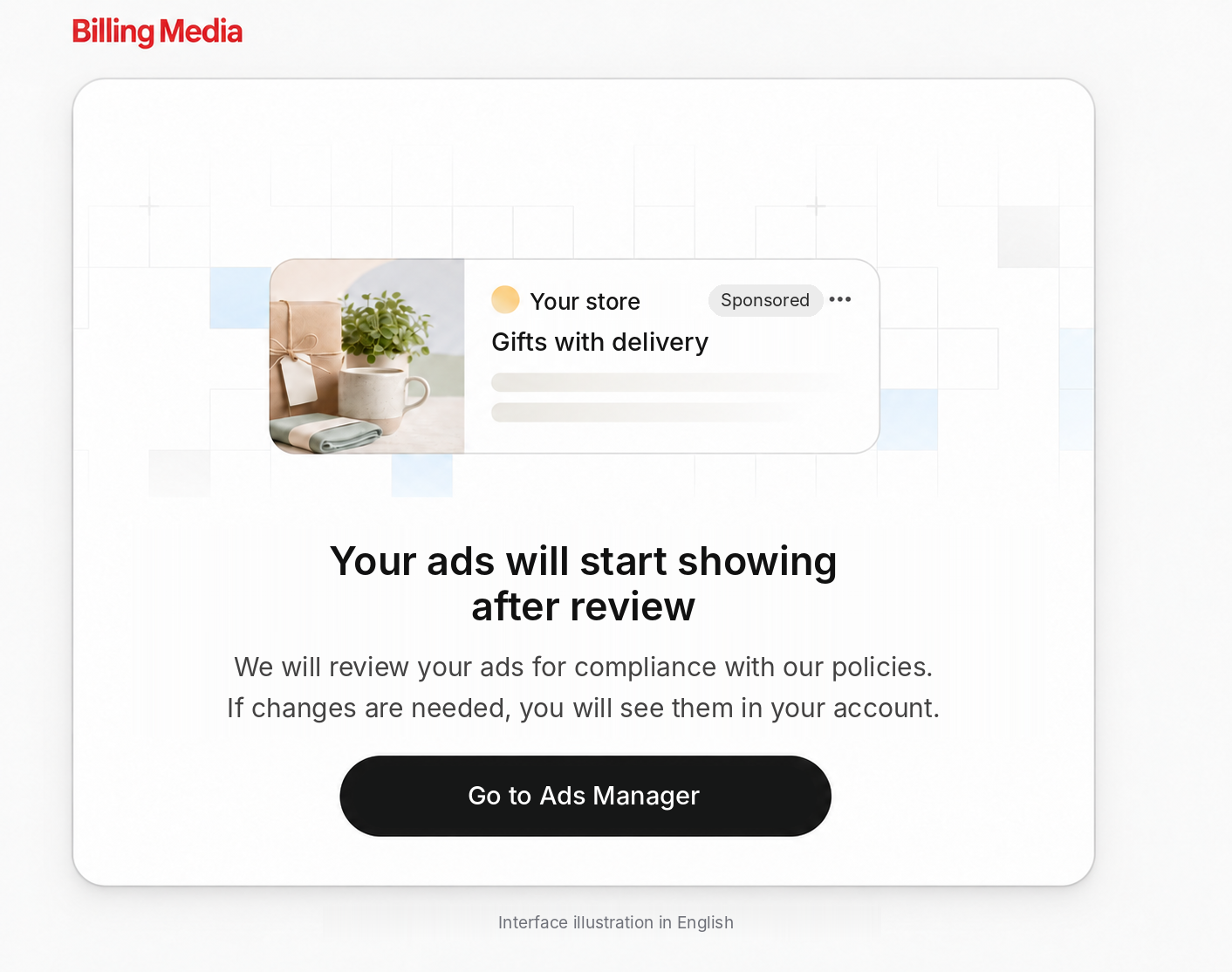
Billing Media illustration in English, adapted with AI. The appearance and wording of the actual ad account may differ.
Step 8 Check actual impressions and inquiries
After launch, monitor statuses, impressions, clicks and on-site events. A saved draft and Active status do not yet prove actual delivery. If there are no impressions, check the status explanation, verification, payment, geography, dates and moderation.
How to Measure Results
Install the Measurement Pixel on your site and set up events that match your business goal. The Conversions API is provided for server-side event transmission. Before launch, check that the event fires after a real user action, not after a simple page open.
The OpenAI Pixel has measurement consent settings. If consent is required for your audience, the integration must take it into account before sending events. Hand the practical check of the settings over to the team responsible for the site and analytics.
| Metric | What we check |
|---|---|
| Impressions and Clicks | Whether there are actual impressions and visits. |
| CTR | The share of clicks from impressions and the response to different offers. |
| CPC and CPM | Cost per click or per 1,000 impressions. |
| Conversions and CPA | Attributed target actions and their cost under the selected report rules. |
| Sales and ROAS | With supported purchase measurement, revenue from attributed purchases and its ratio to spend. |
Compare the same periods, time zones and attribution windows. Check whether the report includes post-click conversions, post-view conversions or both. Different views and features in beta may have different rules, so ad account figures and web analytics should not be mechanically equated.
According to the launch help article, impressions, clicks and CTR are usually updated approximately every 15 minutes, while spend may be delayed by 7–8 hours. Zero spend in a report with impressions present does not prove that the advertising is free.
Partner integrations for passing conversions and attribution are also supported, including Hightouch, Tealium, LiveRamp, AppsFlyer and Adjust. For Ukrainian businesses, their value depends on whether the team already uses the relevant system.
Plan your evaluation for your market. A store with delivery across Ukraine compares the cost of a paid order and margin revenue; a Kyiv-based service compares the cost of a quality lead and the share of inquiries in its service area; a B2B company compares the cost of a qualified lead. These are planning scenarios, not results of campaigns already run.
Restrictions to Consider
OpenAI reviews ad text, images and the landing page. Restrictions apply to misleading claims, counterfeits, imitation of the ChatGPT interface and a number of sensitive categories. Political advertising, gambling, tobacco and alcohol promotion are not allowed under the current rules.
Financial, medical and legal services have separate restrictions and approval procedures; having access to the ad account does not mean permission to advertise any such service in Ukraine. Check your category before preparing a media plan.
Ads may not be shown even in a supported country if account review, payment or ad review has not been completed. During the beta, fluctuations in delivery volume are also possible. Plan the test with the option to revisit the budget after receiving data.
New Tools and Integrations
The ChatGPT Ads Manager plugin makes it possible to prepare ads from a description or web page, review creatives and analyze ad metrics. Saving changes requires confirming the specific action. Payments, tax details and identity verification remain in the ad account.
Creative assistance tools and automatic adaptation do not confirm the availability of separate manual language targeting in every account. Ukrainian-language copy, translation settings and the final preview must be checked before launch.
The Shopify integration syncs the catalog and commerce events with ChatGPT Ads. The current Help Center explicitly confirms its availability for Shopify customers in the US; launching ads in Ukraine should not be equated with automatic access to this integration.
Product results in ChatGPT organic search are a separate mechanism. OpenAI describes them as independently selected results, not advertising. Uploading an ad feed is not a purchase of a position in an organic answer.
What a Business Should Prepare Before Launch
► Details of the actual advertiser, the account country, currency and time zone.
► An agreed payment method, invoice currency, amount to be credited and documents.
► Confirmed available geography; for a city, a local location found by the system.
► Square PNG/JPG images and copy within 50 and 100 characters.
► Landing pages that match each offer.
► Context hints with real product characteristics.
► A decision on Creative enhancements and up-to-date terms on the site.
► A target event, UTM tagging and verified measurement.
► A test budget, a lead quality criterion and a date for reviewing results.
For a first launch, it makes sense to choose a product that is easy to explain in a short card and a page with specific terms. After receiving data, expand offers and geography according to the quality of results.
Planning to launch advertising in ChatGPT? Billing Media will help arrange OpenAI Ads account top-ups and documentation of expenses. Send your budget and request to partners@billing.media. Advertising campaigns will remain under your team’s management.
Frequently Asked Questions
What is the minimum daily advertising budget
25 USD is the minimum daily budget for an ad account in US dollars. This is the campaign budget per day; fees and other agreed costs are accounted for separately.
Is advertising in ChatGPT available in Ukraine
Yes. Ukraine is among the supported advertising markets. Delivery also requires a ready account, payment and ad approval.
Can I select only Kyiv or Lviv
The platform supports local locations where they are available. Find the city you need in the ad account and check its type and country. For new product feed campaigns, only country-level geography is available.
Can I pay for advertising in hryvnia
Yes, a Billing Media invoice can be paid in hryvnia on agreed terms. In this model, the account is topped up in USD. This does not mean that the OpenAI Ads account itself can be opened in hryvnia.
Does Billing Media set up advertising
No. We handle payment, top-ups and documents. Creating, optimizing and analyzing campaigns is on the side of the client or its advertising contractor.
Can I run video or regular banners
Verified specifications for the standard format do not confirm such options. Prepare text and a square image; evaluate new visual formats only after access is confirmed.
Planning to launch advertising in ChatGPT? Billing Media will officially top up your OpenAI Ads account and provide a full set of documents. Write to us: partners@billing.media